
- Client: BibicallyBased101 (Youtube Streamer, USA)
- Date: 10th June 2025
- Remote Connection: WhatsApp (call) & AnyDesk (screen sharing)
Part 1: Resolving the OBS Update Crash
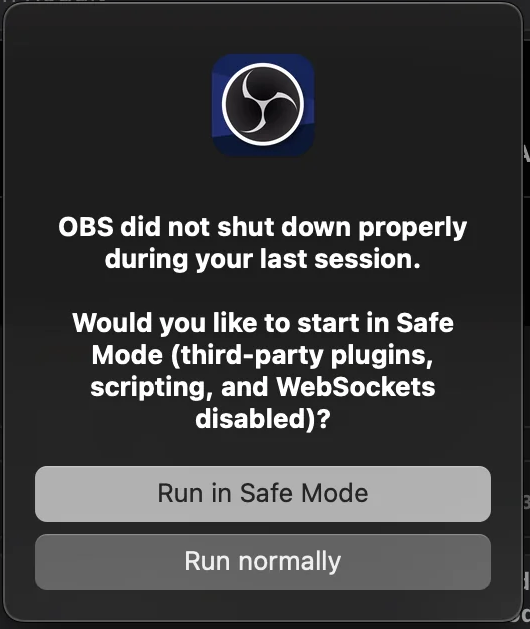
The Challenge: Our client, a returning streamer I’d previously assisted with OBS audio routing and scene setup, reached out with a critical issue. After attempting an automatic update to OBS version 31.0.3, the software crashed immediately upon launch. It offered “Safe Mode” or “Normal” launch options, but both failed, leaving the client unable to access OBS or their streaming setup.
My Approach & Solution:
- Initial Diagnosis: Upon connecting, attempting to launch OBS (even in Safe Mode) resulted in an immediate macOS crash report. Reviewing the crash report, it indicated a problem with accessing browser components, but the core issue remained elusive.
- Isolating the Problem: Suspecting corrupted preference files, I navigated to the client’s OBS application support folder (
~/Library/Application Support/obs-studio). I moved all contents from this folder to a temporary desktop folder and attempted to relaunch OBS. - Confirming Preference Corruption: Pleasantly, OBS launched successfully, but, as expected, all of the client’s scenes and settings were missing. This confirmed that a corruption within the preference files was the root cause.
- Identifying the Corrupt File: I began systematically moving preference sub-folders back into the
obs-studiodirectory, relaunching OBS after each addition. This process quickly revealed that the primary source of the crash was within the client’s scene collection files themselves. As OBS couldn’t open, there was no way to repair these scenes directly within the application. - Version Rollback Strategy: Given the scene collection corruption and the client’s current macOS (Monterey on a 2015 MacBook), a version rollback seemed the most robust solution.
- Attempting to install OBS version 30.2.3 (the latest stable version prior to 31) failed, with macOS reporting it as an invalid application.
- I then downloaded and installed OBS version 29.1.3 from GitHub, which successfully launched without issue.
- Restoring Scenes & Disabling Updates: With OBS 29 running, I moved the client’s original scene collection files back into the application support folder. Upon relaunch, all their scenes loaded perfectly and without any stability issues. To prevent future auto-update conflicts and ensure stability on their older hardware/OS, I disabled automatic updates in OBS’s advanced settings.
Outcome for Part 1: The client’s OBS was fully functional again, with all their critical scene collections restored. The decision to stick with version 29 provided a stable platform compatible with their older macOS, preventing further crashes and ensuring their ability to stream effectively.
Part 2: Optimising Video Playback in OBS
The Challenge: With the immediate OBS crash resolved, the client used the remainder of the session to tackle an issue with one of their intro video files. The video was experiencing stuttering playback and desynchronized audio, negatively impacting the quality of their broadcast intro.
My Approach & Solution:
- Initial Assessment (Codec Suspicions): My initial assessment was that the problem likely stemmed from the video or audio codecs used when the file was originally created. OBS might not have the optimal internal codecs to play this specific video format smoothly.
- Experimentation with Re-encoding: I experimented by opening the video file in iMovie and re-exporting it using different resolutions and audio/video encoding settings.
- Exporting the video at 720p (instead of 1080p) resolved the stuttering and syncing issues, but the client noted a slight reduction in visual quality compared to their desired output.
- Optimal Solution (Separate Media Sources): The most effective solution involved separating the audio and video components of the intro:
- I exported the audio from the original video file as a WAV file.
- I then exported the video file as a silent MP4.
- Within OBS, in the intro scene, I added both the WAV audio file and the silent MP4 video file as separate media sources. Both were configured to play automatically when the scene was selected.
Outcome for Part 2: The client was pleased to confirm that the intro video now played perfectly smoothly, with clear audio synchronized to the video. This eliminated the distracting glitches and improved the professional presentation of their streams.
Additional Optimisation: Before concluding the session, I performed a quick review of the client’s OBS scenes and identified a couple of duplicated media sources. I suggested removing these to help keep their setup tidy and efficient.
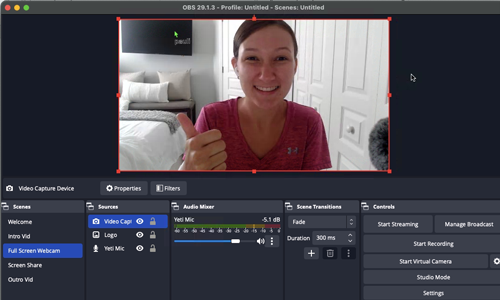
Overall Client Outcome: At the end of the hour, the client was very happy. We had successfully resolved the critical OBS crashing issue and significantly improved the quality of their video playback. They provided a thumbs-up screenshot to use as a testimonial thumbnail.
Key Takeaways:
- OBS Update Crashes: Corrupted scene collection files within OBS preferences can cause severe crashes after updates, especially on older operating systems.
- Version Rollback: Rolling back OBS to a previous, stable version (e.g., v29 instead of v31) can be an effective solution to resolve deep-seated stability issues.
- Preventative Measures: Disabling automatic updates in OBS can prevent future conflicts, particularly for systems with older hardware/OS combinations.
- Video Playback Optimization: For stuttering or desynchronized video playback in OBS, consider splitting the video and audio into separate media sources and re-exporting them in compatible formats.
Expert Insight:
This session highlights the importance of systematic troubleshooting and understanding the underlying causes of technical issues, not just the symptoms. When a common update leads to a total software crash, the problem often lies in how new software interacts with existing, potentially incompatible, user data or older system configurations. My approach involved isolating the problem by testing preference files and then when that didn’t work rolling back the software to a known stable version.
Furthermore, the video playback issue demonstrated that even seemingly simple problems can have nuanced solutions. While re-encoding often works, separating audio and video can be a more robust solution, ensuring smooth playback by giving OBS full control over each stream. This session reinforced that effective technical support combines diagnostic skill with creative problem-solving tailored to the client’s unique setup.
Rescue Your Broken OBS Stream
Are you a Content Creator whose OBS setup just broke after a software update?
There is nothing more panic-inducing than firing up OBS for a stream, only to face unexpected crashes or broken media playback. While Audio Support handles deep DAW troubleshooting, we launched a dedicated service strictly for creators who rely on streaming software to run their channels.
Stop losing viewers to technical difficulties and endless forum searching. Let our vetted engineers remote into your system, diagnose the software conflict, repair your OBS scenes, and get your stream stabilized and back online immediately.
Visit Amazing AudioRecent Reviews


Let’s Get Your System Running Smoothly.
No automated tickets, no waiting queues — just one-to-one help from an experienced music technology specialist. I’ll connect to your system remotely, identify the issue, and guide you through the fix.
