
Summary: This case study details how Audio Support swiftly resolved a persistent live stream audio issue for YouTube content creator “Reel Time with Mark.” During a single remote support session lasting an hour, Audio Support Technician Paul Andrews optimized his microphone technique and built a professional audio processing chain in OBS, dramatically improving his sound quality and audience engagement.
Client’s Initial Request
Mark, a popular YouTube content creator known as “Reel Time with Mark” (R-E-E-L Time, as he plays slot games), reached out to Audio Support in late April 2025. He was experiencing significant issues with his live stream audio using OBS (Open Broadcaster Software). His audience had been complaining about poor volume and overall sound quality, impacting his viewer experience and engagement. He sought expert help to make his voice clear and consistently audible for his streams.
Arranging a Remote Support Session & Comprehensive Audio Optimization
Mark found my service and booked me for a remote support session later that week. At the time of our appointment we connected our screens via AnyDesk while speaking via Whatsapp Voice Chat to ensure a smooth setup. To accurately monitor Mark’s audio, I installed the Audio Movers “ListenTo” plugin directly within OBS, allowing me to hear exactly what his audience was hearing in real-time. This session was dedicated to a comprehensive optimization of Mark’s microphone setup and OBS audio processing.
Identifying the Problem: Unoptimised OBS Settings & A Need for Foundational Checks
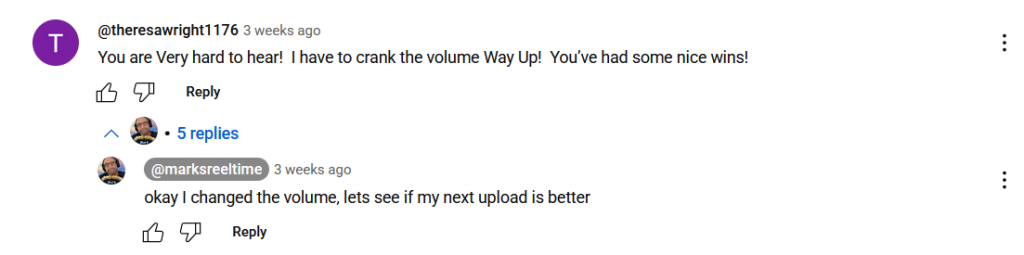
The client was experiencing inconsistent volume and poor clarity in his live stream audio on OBS. While the core issue stemmed from unoptimized audio processing within OBS, a critical first step in any professional audio diagnosis is to systematically validate the microphone’s physical setup and settings. This ensures that the audio entering the software is as clean and optimal as possible before any digital processing begins. Comments from his “before” videos frequently mentioned the audio issues, such as:
- “sound not very good :(“
- “Volume is a bit low..”
The Solution: Systematic Microphone Setup Validation & OBS Audio Chain Build
I guided Mark through a series of precise adjustments and implemented industry-standard audio processing directly into his OBS setup:
- Systematic Microphone Setup Validation:
- Positioning & Polar Pattern: I first ensured his microphone was correctly positioned, explaining how to best utilise its polar pattern for optimal sound capture and to minimize unwanted background noise. This step systematically confirmed that the microphone was being used to its fullest potential from the very source.
- Distance & Microphone Settings: We meticulously checked the microphone’s distance from his mouth and verified that any built-in settings, such as pad or roll-off, were correctly configured for his voice and environment, confirming that the physical input was pristine.
- OBS Audio Processing Chain: Taking control of his OBS setup, I systematically added and configured the following filters:
- Noise Reduction: Applied a filter to effectively reduce unwanted background noise from his environment.
- Compressor: Installed and fine-tuned a compressor to bring up his overall volume, ensuring consistency in his speech levels, making him clearly audible even when speaking softly.
- Limiter: Added a limiter to act as a safeguard, preventing any sudden loud sounds or excited shouts from causing clipping and distortion, maintaining audio integrity at all times.
- EQ (Equalization): Experimented with EQ settings but determined that his voice, once properly gained and compressed, sounded excellent without further tonal adjustments, keeping the processing clean and natural.
- Audibility & Clarity Testing: We conducted extensive tests at various speaking volumes, from soft whispers to excited moments, ensuring his voice remained consistently clear, audible, and free from clipping. This provided Mark with the confidence to speak naturally during his streams.
Concluding the Remote Support Session
By the end of the session, Mark’s live stream audio was transformed. His voice was consistently clear, well-balanced, and professional-sounding, addressing all the volume and clarity issues his audience had reported. He was extremely happy with the immediate and dramatic improvement.
I made sure Mark understood how to add the Filters for himself should he need to reinstall or make changes to OBS in the future. OBS doesn’t allow users to save Filter presets so Mark and I saved screenshots of his settings.
Client’s Experience & Tangible Results
Mark was absolutely delighted with the outcome, allowing me to take this screenshot to use in this case study article:
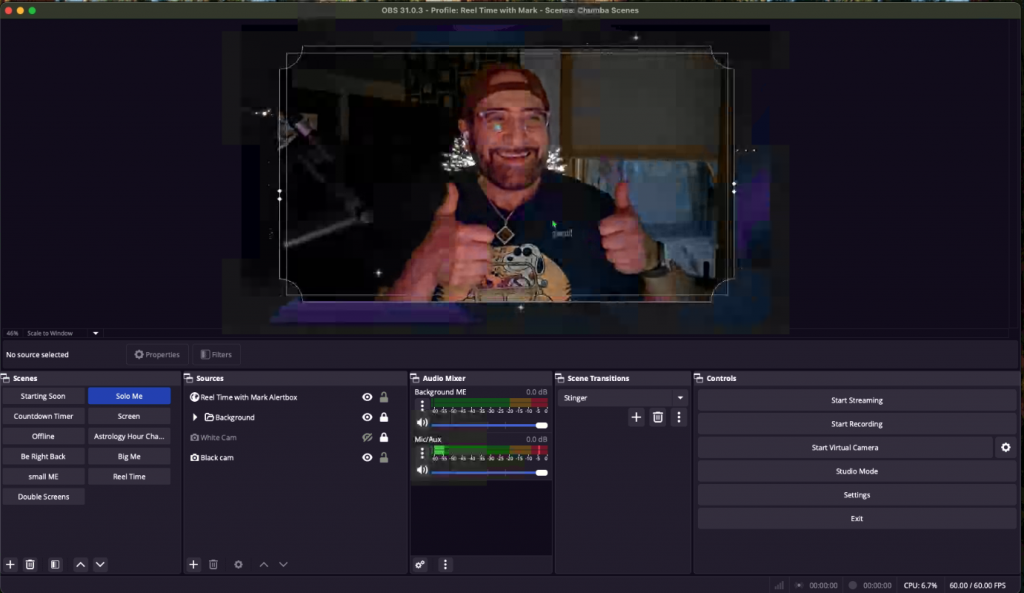
The tangible results were immediate and dramatic, transforming his live stream audio. He later provided this glowing feedback:
“Paul is exactly what you are hoping you’ll get when you hire a service like his. My sound was getting complaints from my YouTube followers. I listened to countless voices online telling me what to do with my settings and none of them worked. Paul set a date and time with me and called at the exact minute of the appointment. He made a copy of my sound settings and had me recreate what I do online, and when he was done, I sounded amazing (or as amazing as a nonprofessional can sound). Did I mention he is easy to talk to, friendly, smart, and takes what he does seriously? If you have any issues with your sound or if you are wondering if your sound could be improved… ‘Better Call Paul’ (sorry, I couldn’t resist).”
Even more powerfully, in his very first stream after our session, Mark immediately addressed his audience about the improved sound, stating:
“Good morning everybody… I have new sound, I hope it sounds okay… I think it does though. He was amazing, he was really amazing. And friendly… If you need help with your sound and if you think this sounds good, let me know.”
You can hear the difference for yourself:
Before Audio Support
https://www.youtube.com/watch?v=00JQIEcH1eU (Check the comments for audience feedback on sound)
After Audio Support
https://www.youtube.com/watch?v=3PWaaMltAAY&t=200s (Mark’s first stream after optimization)
This provides compelling, real-world evidence of the transformative value of professional audio optimization for content creators.
Expert Insight
For live streamers and content creators, crystal-clear audio isn’t just a luxury – it’s fundamental to audience engagement and professionalism. Viewers will often tolerate imperfect video, but poor audio is a deal-breaker. Optimising microphone technique and building an effective audio processing chain in OBS can dramatically elevate a stream’s quality, turning casual viewers into loyal subscribers.
Get Support for Similar Problems
Are you a content creator or streamer struggling with your audio quality, inconsistent volume, or background noise? Don’t let frustrating sound issues hold you back from connecting with your audience.
Recent Reviews


Let’s Get Your System Running Smoothly.
No automated tickets, no waiting queues — just one-to-one help from an experienced music technology specialist. I’ll connect to your system remotely, identify the issue, and guide you through the fix.
