
Case Study
🎧 Patchbay Lesson: Demystifying Outboard Gear Routing in Cubase
The Client’s Challenge
A professional producer contacted me for a lesson on managing his complex studio setup. He had recently invested in high-end equipment, including a Universal Audio Apollo x16 audio interface and premium outboard gear like a Neve preamp and a high-quality compressor. This gear was integrated using a Bantam patchbay.
The patchbay and initial setup had been installed by another engineer who was no longer available. The client’s central problem was a lack of clarity: he could not confidently use the patchbay to integrate his external compressor as an audio effect within his Digital Audio Workstation (DAW), which in this case was Cubase.
He needed someone to bridge the gap between his physical studio wiring and the virtual audio connections within Cubase. Specifically, he needed to understand how the Apollo x16’s 16 outputs, the patchbay’s normalisation settings, and Cubase’s Audio Connections and External Instruments windows all related to one another.
Session Setup
I began by asking the client to send over the wiring diagram for his patchbay. This document was the single most important key to understanding his custom-built system.
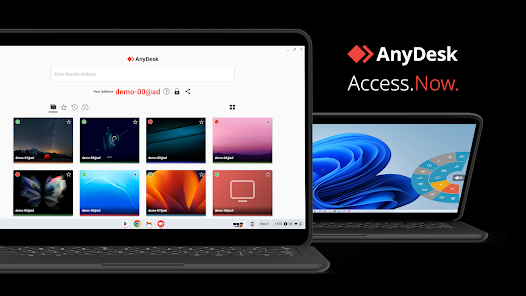
I then connected remotely to his studio Mac using secure screen-sharing. This allowed me to look directly at his Cubase project, examine the software settings, and follow along as he physically traced the connections between the Apollo x16, the patchbay, and the outboard equipment.
Diagnosis
The diagnosis was not about fixing a fault; it was about fixing a knowledge gap. Many producers feel intimidated by the complexity of advanced studio routing, and this client was no different. The challenge was to decode the physical wiring and translate that into actionable understanding within the DAW environment.
First, I matched the physical wiring diagram to the I/O labels inside Cubase. The Apollo x16 has a deep set of inputs and outputs, and confirming which analogue port corresponded to which digital channel was essential.Next, I clarified the function of normalisation on his Bantam patchbay. He needed to know what ‘normalled’ and ‘half-normalled’ meant in practice, and how that dictated when he needed to insert a patch lead and when he didn’t. Understanding this removed a significant layer of confusion around why some connections seemed to work “automatically” and others did not.
The Fix
The core of the session was a practical, step-by-step lesson on external effects routing in Cubase.
We navigated to Cubase’s Audio Connections window to define the physical I/O pairings for his outboard compressor. This involved creating a new External Instrument setting that correctly mapped a specific Apollo x16 output to the compressor’s input, and the compressor’s output back to a corresponding Apollo input.
This step effectively defined the analogue loop to and from the compressor, making it available as an insert or send effect within any Cubase mixing session.I then showed him how to use the patch leads to physically break the normalisation path on the patchbay, allowing him to insert the compressor into various points in his signal chain—for instance, between a specific preamp output and an input on the Apollo.
Additional Support
To ensure the knowledge was retained, we produced a short, custom video screencast together. This video explained all the key concepts we covered: the wiring diagram, the normalisation settings, and the specific Cubase external instrument configuration.
This reference video serves as a permanent, personalised guide for him, so he can confidently change his routing setup whenever I’m not online. This kind of tailored educational support is something I’m comfortable delivering for complex studio equipment, even remotely. Audio Support specialises in making advanced systems accessible.
Reflection
This case highlights that the biggest barrier to creativity is often not the complexity of the gear itself, but the lack of an approachable, clear explanation. High-end equipment demands a holistic approach to troubleshooting and education. You cannot look at the DAW or the patchbay in isolation; you must understand the full signal chain.
The ability to translate complex diagrams and digital settings into a simple, coherent narrative is what brings clarity and confidence to the client. My experience across many different studio setups over the years gives me the insight to anticipate common sticking points and explain them effectively.
Closing Thoughts
The client was happy to have finally found someone with the deep knowledge of studio equipment and the ability to explain it in a way he could truly understand. My goal is always to transform frustration into flow.
I help musicians and producers worldwide solve problems like this every day. If you’re struggling to integrate your outboard gear with Cubase or any other DAW, I’ll help you find the real cause and get you back to creating.
Recent Reviews


Let’s Get Your System Running Smoothly.
No automated tickets, no waiting queues — just one-to-one help from an experienced music technology specialist. I’ll connect to your system remotely, identify the issue, and guide you through the fix.
Related Case Studies

Not sure it’s the same problem? Ask a question first