
Mastering Remote Audio Routing: Pro Tips for DAW to Zoom, OBS, and Live Streaming
Mastering Remote Audio Routing: Pro Tips for DAW to Zoom, OBS, and Live Streaming
There’s a unique frustration that comes from having a studio full of professional equipment, capable of producing pristine sound, only to be defeated by a simple video call. Since 2020, the need to route high-quality audio from a DAW into platforms like Zoom or OBS has become essential for teaching, collaboration, and streaming. Yet, these consumer-grade applications were never designed to speak the language of professional audio.
They expect a simple microphone, not a multi-channel mix from Ableton Live or a meticulously crafted guitar tone from your MOTU interface. The challenge, as I’ve seen time and again, is not a fault in your gear, but a puzzle of digital logistics. It requires creating ‘virtual patch cables’ to bridge the gap, navigating hidden settings, and understanding how to trick these platforms into accepting the studio-quality audio you’ve worked so hard to create. It can feel like an impossible task, but with a methodical approach, it is entirely solvable.
Key Takeaways
- Virtual Drivers are Non-Negotiable: Tools like BlackHole (macOS) and VoiceMeeter Banana (Windows) are the essential ‘digital patch bays’ for routing audio between your DAW and other applications.
- Master Platform-Specific Settings: Consumer apps aggressively process audio. Enabling settings like Zoom’s ‘Original Sound for Musicians’ is critical to bypass compression and preserve your audio fidelity.
- Check the Fundamentals First: Before diving into complex software routing, ensure basic hardware and OS settings are correct. An underpowered USB port or a disabled device in Windows Sound Settings can be the real culprit.
- Precision is Key: Modern interfaces like the Elgato Wave Link create multiple virtual inputs and outputs. You must select the precise device (e.g., ‘Microphone with FX’) in every application—from OBS to in-game chat—to ensure the correct signal is sent.
1. Audio Movers Remote Teaching: A Step-by-Step Setup Guide
Simplifying Remote Teaching with Audio Movers
- The Problem: A producer needed a reliable, repeatable workflow to stream high-quality audio from his DAW for remote music lessons but felt daunted by the setup of Audio Movers.
- The Fix: A practical walkthrough where the client took the teacher’s role. We placed the Audio Movers ‘Listen To’ plugin on the master output channel, started the stream, and copied the generated web link for the ‘student’ (me) to listen in, solidifying the process.
- The Lesson: For new remote tools, the barrier is often confidence, not a technical fault. A simple, step-by-step guided practice is more effective than just reading a manual.

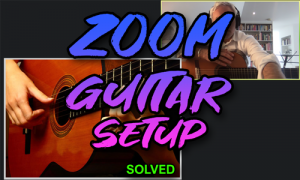
2. Pro-Sound Guitar Lessons on Zoom: Routing Hardware and Backing Tracks
Routing Guitar and Backing Tracks into Zoom on Windows
- The Problem: A guitar student on a Windows PC couldn’t get his professional guitar tone from his pedalboard and MOTU M4 interface into Zoom, along with backing tracks.
- The Fix: First, we solved an underlying hardware issue by moving the MOTU M4 to a rear USB port that provided stable power. We then installed and configured VoiceMeeter Banana to create a custom mix of the guitar, mic, and system audio, sending this unified signal to Zoom while carefully routing the teacher’s return audio to his headphones only, preventing feedback.
- The Lesson: Always solve basic hardware stability (like USB power) first. On Windows, a virtual mixer like VoiceMeeter is indispensable for combining multiple audio sources for platforms like Zoom.
3. Zero-Latency Mic Effects and High-Quality Music Sharing in Zoom
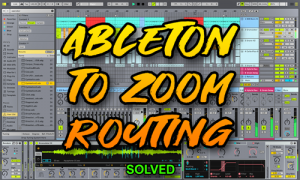
Achieving Zero-Latency DAW Effects in Zoom on macOS
- The Problem: A teacher on macOS wanted to use vocal effects from Ableton Live and play backing music during Zoom sessions but was hampered by high latency and poor audio quality.
- The Fix: We installed the BlackHole virtual audio driver. In macOS’s Audio MIDI Setup, we created an Aggregate Device combining the client’s RME Babyface Pro FS and BlackHole. We then routed Ableton Live’s main output to the BlackHole device, which was then selected as the microphone input in Zoom after enabling the ‘Original Sound for Musicians’ setting.
- The Lesson: Inter-app audio routing on macOS is powerfully enabled by combining a virtual driver with an Aggregate Device. This allows a DAW to act as a front-end processor for any other application.
4. Elgato Wave Link & OBS: Solving No Microphone Audio in Stream and In-Game Chat
Fixing No Microphone Audio for OBS and In-Game Chat
- The Problem: A streamer’s microphone, connected via an Elgato Wave Link interface, was not being detected in her streaming software (OBS) or her in-game chat.
- The Fix: The root cause was a simple Windows setting: the headphone output for the Wave Link device was disabled. After enabling it, we meticulously configured both OBS and the game’s audio settings to select the specific ‘Wave Link Microphone with FX’ virtual input, ensuring her processed vocal sound was sent to all destinations.
- The Lesson: Never overlook basic operating system audio settings. Furthermore, complex streaming interfaces create multiple virtual audio devices—you must ensure every application is pointed to the correct one.

From Frustration to Flawless Audio
As these cases demonstrate, mastering remote audio routing is about methodically connecting a chain of digital islands. Whether it’s a simple workflow for Audio Movers, a complex virtual mix on Windows with VoiceMeeter, an Aggregate Device on macOS, or the precise configuration of a streamer’s rig in OBS, the principles remain the same: establish a stable hardware foundation, create the right virtual connections, and configure each piece of software to listen to the correct source.
While the solutions are logical, arriving at them can be a time-consuming and deeply frustrating process of trial and error. You don’t have to navigate it alone. With over a decade of experience solving exactly these kinds of edge cases, I can help you diagnose the root cause quickly and build a stable, reliable system that simply works, every time. If you’re ready to stop troubleshooting and start creating, let’s talk.
This guide is based on insights from 4 real-world support sessions, drawn from our public archive of 348 case studies.


