
The MPK249 wasn’t seen by Logic or macOS on a new USB hub, while a Roland on the same hub worked fine. A powered hub fixed it.
I recently received an email from a client asking for some advice about an AKAI MPK249 MIDI controller keyboard not connecting to Logic Pro. I didn’t think my client needed another remote support session and advised him to purchase a new USB Hub. This was our email exchange:
Hi Paul. Hope you are well. You helped me remotely last year getting my MIDI keyboards set up in Logic Pro for my live tour. I have another problem: My AKAI MPK249 is not recognised by my brand new D-Link USB hub. I have two keyboards connected to it. A Roland System-8 and an AKAI MPK249. The Roland works fine, however the MPK isn’t seen by Logic or OS-X. Is there something in the ‘hardwiring’ that has assigned the AKAI to the old USB hub only? Is that possible? Hope you can help me. – SR
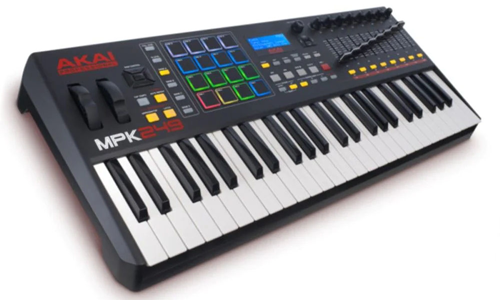
I received the above message from SR and sent him this reply:
Hi S. From your description, it sounds like there’s not enough power to run the MPK249 through that new USB hub. I would recommend a powered hub. My estimate is that will solve the problem. We could connect for a remote support session, but I think the outcome would be recommending a different hub. Try that first and let me know if that helps. – Paul
I received this response from SR a week later:
Thanks so much Paul! New powered hub has arrived and everything now working perfectly. – SR
Common questions
Why is my AKAI MPK249 not working with my Mac?
In this case it wasn’t getting enough power through an unpowered USB hub, and a powered hub fixed it. If you’re buying one, here’s how to choose the right USB hub for music production.
Why does one keyboard work on my USB hub but not the other?
Here the Roland System-8 worked on the same hub, but the MPK249 needed more power than the hub supplied. Power isn’t always the answer, though: in another AKAI case the hub had power, and the fix was moving the controllers from its USB 3.0 ports to its USB 3.2 ports.
Recent Reviews


Let’s Get Your System Running Smoothly.
No automated tickets, no waiting queues — just one-to-one help from an experienced music technology specialist. I’ll connect to your system remotely, identify the issue, and guide you through the fix.
