Hi. I am starting a podcast and I’m having lots of audio difficulties. I have a MacBook running OBS software and a Blue Yeti microphone with a pop filter. I’ve installed acoustic wall panels around my desk which I was hoping would reduce echo, however it is still a major issue. I can’t seem to get the audio very clear and eliminate background noise. I have watched countless YouTube videos on how to set up the OBS filters properly, but the changes only made the sound worse. Another of my issues is that my headphones do not show up as an output device option in OBS even though they are plugged in and I can hear other sound on my Mac through them.
I received the above enquiry from a new client via my profile on the website Fiverr and arranged to connect with her for a remote support session later that day.
Once my client and I were speaking via Google Meet and I was remotely connected to her Mac via AnyDesk, we had a conversation about her setup and what the problems seemed to be. I suggested that we install AudioMovers on her Mac, allowing me to listen to the sound picked up by her microphone in real-time.
Microphone Gain
Once we had downloaded and installed AudioMovers’ Listento plug-in as a VST on my client’s Mac, I opened the plug-in as an Audio Filter in OBS. I turned off all the other Audio Filters my client had been experimenting with so that I could hear a clean signal from her microphone. Immediately, I could hear that the audio coming from the Blue Yeti microphone was both noisy and quiet.
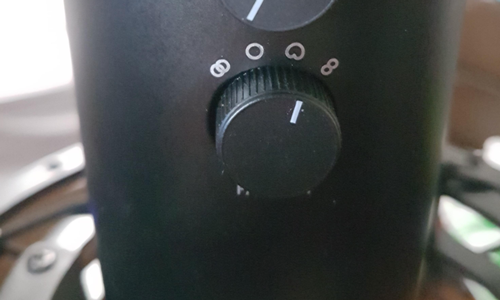
I pulled up a picture of the Blue Yeti mic on Google images and asked my client where her Gain dial was set to:
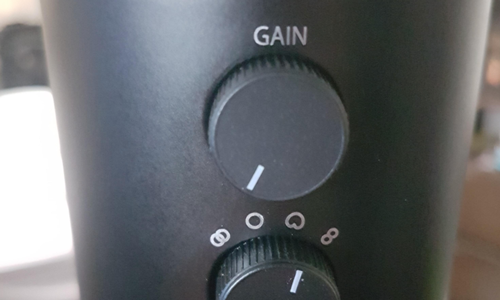
She told me it was fully left. This meant that the mic was at its lowest sensitivity setting, which was definitely a problem. We needed to raise the Gain to around 12 o’clock or higher to ensure a strong signal-to-noise ratio when she recorded her voice
More info about signal-to-noise here:
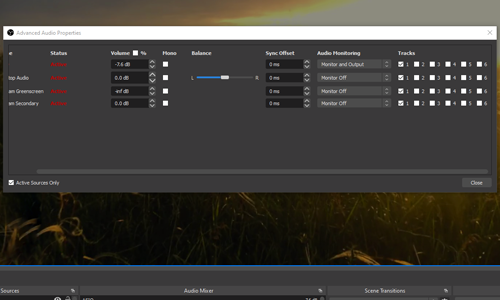
As my client raised the Gain on her microphone, the signal quickly distorted. This meant there was some other audio settings affecting the signal. I checked through OBS’s audio settings window but couldn’t see any settings that were affecting the volume.
OS X Audio Setup
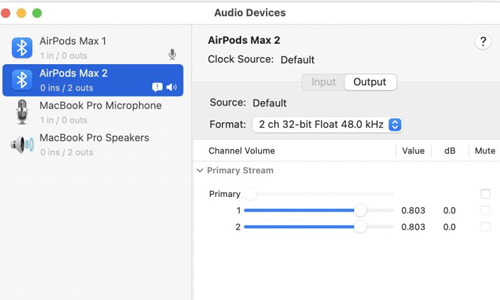
I checked the Mac’s Audio Setup panel, which can be found in Applications/Utilities/Audio & MIDI Setup
I found that OSX was adding a 18dB boost to the signal. This meant that both the weak voice recording and the noise were being increased by OSX. Removing the 18dB boost allowed my client to raise the Gain control on the mic without causing distorting. She found that 1 o’clock gave her a clean vocal sound without any distortion.
At this point, my client was pleased to report that the sound of her microphone was much improved. We made a few test recordings and confirmed that the noise problem was gone.
Microphone Polar Patterns
We then turned our attention to the tone of the audio recorded by the microphone. I could hear what my client had described in her initial enquiry when she referred to the echo in the sound.
I asked my client to tell me about how her mic was positioned on her desk and how she was positioned when speaking into it. I suggested that she may be using the wrong polar pattern setting on her microphone.
The term polar pattern refers to the sensitivity of the microphone to sound coming from different directions.
A Blue Yeti microphone has a switchable polar pattern selector below the Gain control:
The manual for the Blue Yeti contains helpful info explaining polar patterns:
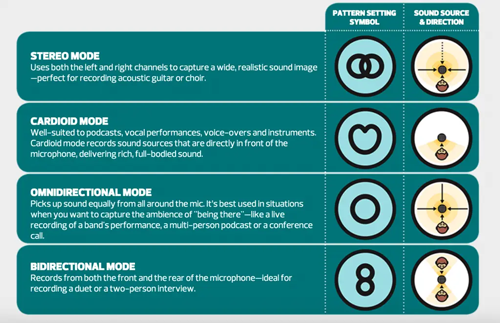
The correct mode for my client to record her voice was Cardioid. Once she had changed the selector, she immediately told me that the echo was gone.
Mic Positioning
Another helpful pic from the Blue Yeti manual shows the user how to position the microphone for vocal recording. The microphone is most sensitive from the front rather than the top.

My client confirmed with me that she would record with the mic positioned this way in the future.
We made another couple of test recordings and I suggested we adjust the microphone’s Gain slightly to avoid any chance of distortion occurring during a recording.
Review
We had reached the end of our hour’s remote support session and my client reported that she was very pleased with her new audio setup and the way her voice now sounded.
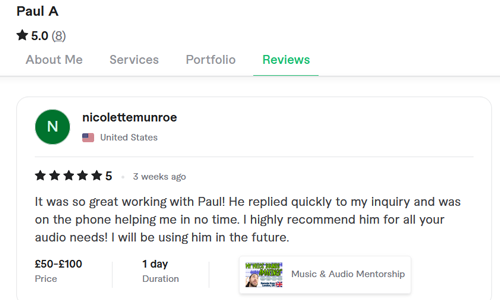
After our remote support session my client was kind enough to leave me this nice review:
“It was so great working with Paul! He replied quickly to my inquiry and was on the phone helping me in no time. I highly recommend him for all your audio needs! I will be using him in the future.”
If you need help with your podcast audio in OBS or with any other aspect of music technology, please get in touch.
Recent Reviews


Let’s Get Your System Running Smoothly.
No automated tickets, no waiting queues — just one-to-one help from an experienced music technology specialist. I’ll connect to your system remotely, identify the issue, and guide you through the fix.