Case Study
🎙️ Mono Microphone Only in Left Speaker Fix in Logic Pro
The Client’s Challenge
A composer reached out to me, deeply stressed about an important recording session he had scheduled with a long-time guitar collaborator. His setup included a microphone plugged into his audio interface, but the sound was only coming out of the left speaker. He was worried that his expensive new gear was faulty just before a critical professional date.
He had already spent time looking at the Focusrite control software, following advice he had received, trying to find a “software monitoring” section that wasn’t immediately obvious. Despite his efforts, the microphone signal remained stuck to the left side of his stereo field, causing significant anxiety and wasting creative time. He needed a fast, authoritative fix.
Session Setup
I was able to schedule a remote support session with the client at very short notice using my online booking system. This quick turnaround was essential given the urgency of his upcoming recording date.
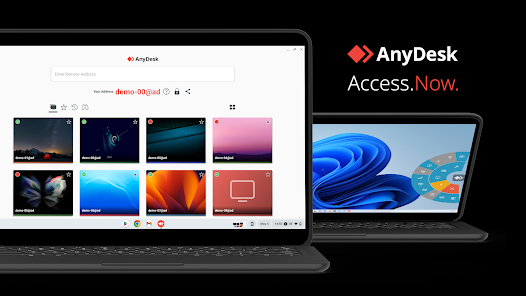
Through secure screen-sharing, I could access his computer and look directly into his Logic Pro session and system settings. This immediate, one-to-one access allows Audio Support to provide fast, professional help worldwide, getting straight to the core of the problem without guesswork.
Diagnosis
The client was right to suspect the monitoring chain was the issue, but the fault wasn’t located in the audio interface’s control panel as he initially thought.
The microphone was correctly plugged into a single input on his interface, which sends a mono signal. The problem lay in Logic Pro itself: when he created the new audio track for his vocal recording, he had accidentally chosen the Stereo format instead of Mono.
When Logic Pro receives a mono signal on a track configured for stereo, it correctly routes the single input to the corresponding channel—typically the left. Since there was no signal plugged into the second input (the right channel), the stereo track was functioning as expected, but was resulting in the unwanted single-channel playback.
The Fix
The solution was straightforward once the cause was identified. I demonstrated how to access the “Create New Track” menu in Logic Pro. Within this dialogue box, there is a crucial option to select either a Mono or Stereo track format.
The client was simply instructed to delete the incorrectly configured stereo track and create a new one, ensuring the Mono option was selected. This immediately placed the microphone signal correctly in the centre of the stereo field, as the DAW was now treating the single input as a centre-panned mono source.
I also took the time to explain why this had happened, showing him the difference between mono and stereo tracks in the DAW environment and how to check this setting quickly in the future. This educational approach is central to the service I provide.
Result
The client was visibly relieved. His recording setup was not, in fact, broken; it was simply a small, easily missed setting within the DAW’s track creation menu. The problem was fixed in minutes, restoring full functionality to his microphone and allowing him to proceed with confidence for his important session.
He was able to go from stressed and anxious about faulty gear to feeling competent and prepared, all before his collaborator arrived.
Reflection
This case highlights a key difference between holistic Audio Support and manufacturer helpdesks. The manufacturer’s team might have focused narrowly on the Focusrite software, but the real issue was upstream, in the user’s workflow within the DAW.
Troubleshooting complex audio systems requires looking at the full signal chain: the hardware, the operating system, the DAW, and the user’s individual workflow. Simple settings in Logic Pro or Pro Tools are easy to overlook, but they can bring an entire professional session to a halt. The greatest value I provide is the independent, systematic diagnosis that cuts through the noise and finds the real cause, transforming frustration into creative flow.
Closing Thoughts
I help musicians and producers worldwide solve problems like this every day. From minor setup errors to complex system conflicts, I look beyond one product to diagnose your entire creative system. If you’re struggling with Logic Pro or your audio interface setup, I’ll help you find the real cause and get you back to creating.
Recent Reviews


Let’s Get Your System Running Smoothly.
No automated tickets, no waiting queues — just one-to-one help from an experienced music technology specialist. I’ll connect to your system remotely, identify the issue, and guide you through the fix.