
When faced with a blizzard of options and screens Paul’s help has been indispensible… He has never been stumped in the years he has helped me. Whether he knows the answer immediately or finds it quickly, he has always gotten me going without hassle in any number of situations.
Jim Stuart, March 2024
Jim Stuart is retired and lives in Juarez, Mexico. Jim has been a music lover all his life and in 2019 he decided he wanted to buy some music software to record his own compositions.
Jim had bought a copy of Cubase Pro, but very quickly ran into problems with installation and getting sound out of the software. He found Audio Support online and booked Paul to help him get Cubase up and running. Since then, Jim has been booking occasional remote sessions with Paul to help him with various aspects of his music hobby.

In this article, Paul from Audio Support explains the help he has provided to Jim between 2019 – 2024.
2019
Initial remote setup of Jim’s music system
2020
- Installing a new keyboard
- Advice on improving Jim’s productions
- How to find a session vocalist online
2021
Rebuilding Jim’s music system on a new PC
2022
- Installing new plug-ins
- Troubleshooting problems
2023
Troubleshooting
2024
Installing a new keyboard and speakers
Jim’s review
2019
Initial Setup of Jim’s System
In 2019 Jim decided to start composing and recording his own music as a retirement hobby. He bought a copy of Cubase Pro 10 and a Tascam 4×4 audio interface, but had problems getting both working on his PC. He found Audio Support via a Google search and sent me this message via my email enquiry form:
Hi, I am interested in cubase pro 10 support. In a nutshell the system is new, installed, but some things aren’t working. No sound / audio connections, “files missing”. How to I schedule an hour of help? Look forward to hearing from you. Jim
I replied to Jim and via email we worked out the practicalities of how we were going to connect, timezone differences, installing software and speaking via WhatsApp etc. Jim was new to using remote support services but I was able to guide him through getting everything he needed installed on his PC and phone.
In our first remote support session we installed AnyDesk on his PC so I could take control. I installed the correct drivers for his audio and MIDI devices and configured Cubase to use the Tascam as it’s audio output device. I talked Jim through where to plug his headphones in to hear sound and which knob he could use to adjust the volume. Even though I couldn’t see Jim’s equipment I used Google’s image search feature to find a picture and talk Jim where to find the right sockets and controls.
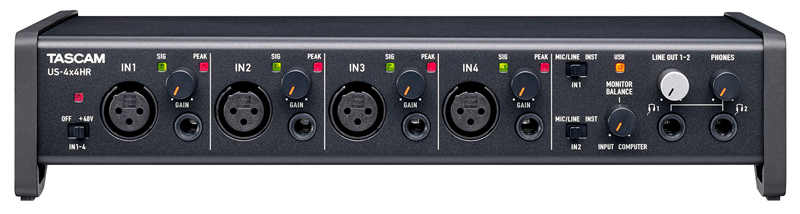
Once Jim had a working Cubase setup we arranged a few sessions where I gave Jim some lessons on how to load VST instruments in Cubase and how to make basic MIDI recordings. We practiced with some practical examples and I made sure Jim was confidently able to use basics of the software for himself.
Jim contacted me a few weeks later for more help. He had tried the basic sounds available in Cubase but wanted to expand the range of sounds on his system. He had researched what was available and had bought some new sample libraries and plug-ins that he wanted to install:
- Albion One
- The Orchestra
- Sessions Guitarist Picked Accoustic
- Keyscape
Over a couple more remote support sessions I helped Jim with the downloads, installations and activations of all his new products.
Almost every plug-in has a different method for users to preview and load sounds and some can be less than obvious to new users. Jim and I spent time making sure he was comfortably able to use his new software. I’m always comfortable switching between ‘tech support mode’ and ‘teaching mode’ in my remote support sessions. Whatever is needed for my client at that moment.
Jim was happy to have all his software installed and was now reasonably confident that he could get on with making some tracks on his own.
2020
Installing a New Keyboard
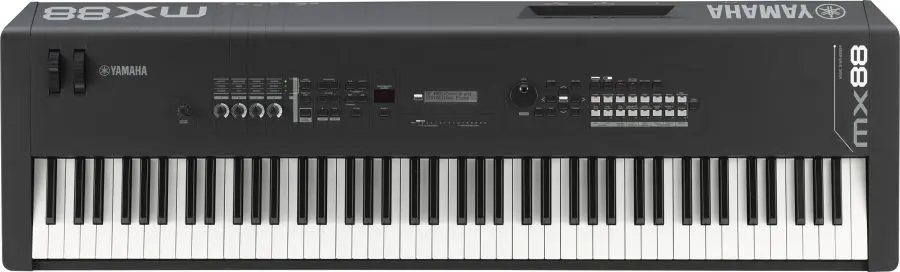
In mid-2020 Jim contacted me again. He had bought a Yamaha MX88 keyboard and needed help setting it up in Cubase. He wanted to:
- Be able to use the MX88 as a controller and record midi tracks in Cubase
- Playback the midi track in Cubase and generate sounds either from Cubase or the MX88
- Store and recall the MX88 patches from Cubase
I was able to help Jim with all his requests.
- I downloaded and installed the correct drivers for the MX88 and configured Cubase to recognise it. I talked Jim through where to connect the physical usb and audio cables between the keyboard, the PC and the audio interface.
- I ran a few tests and then gave Jim a lesson on how to use the MX88 as a midi device in Cubase and the similarities and differences to the VST instruments that Jim was already familiar with.
- I set up the MX88 as a MIDI Device within Cubase’s preferences and that allowed Jim to select sounds within Cubase and load them onto the MX.
Advice on Jim’s Productions
Jim sent me a few mp3s of songs that he was working on. Via email and during remote sessions, we had some conversations about what Jim could do next with his songs. I showed him some more intermediate features of MIDI such as velocity and note length editing to add more of a human-feel and realism to his virtual instrument tracks.
We looked at how to use volume and panning to balance a mix within Cubase and how automation can be used to control the mix in different sections of a song.
Finding a Session Vocalist
Jim had written some lyrics for his songs and wanted to find a singer to record them. I showed Jim how the website Fiverr works and that there were thousands of session vocalists on the site who would record his lyrics for an affordable fee.
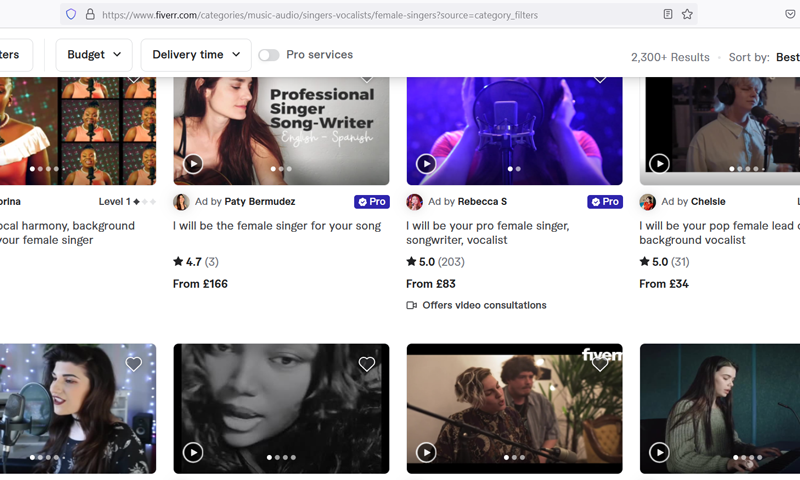
We looked at singer’s profiles and listened to their demos. Jim chose some he liked and we sent out some introductory messages via Fiverr.
Once Jim could see how the system worked, he was able to continue the process on his own. He decided on a vocalist he wanted to work with and she sent him WAV recordings of the vocal parts.
Jim and I connected again and I showed him how to import those WAV files into Cubase and apply basic mixing techniques to get the vocals sounding great with the backing track. We bounced down the tracks to MP3 and Jim now had some finished songs.
Now Jim had a method established for making music he was happy with, we paused our sessions so he could practice on his own.
2022
Installing new plug-ins + troubleshooting problems
Jim contacted me only a few times in 2022. He had bought a few new plug-ins for his set-up and needed help with the installation and licensing. Jim had a problem with MIDI signals from the keyboard not being recognised in Cubase so we connected for a remote session to work out what had gone wrong.
2023
More Troubleshooting
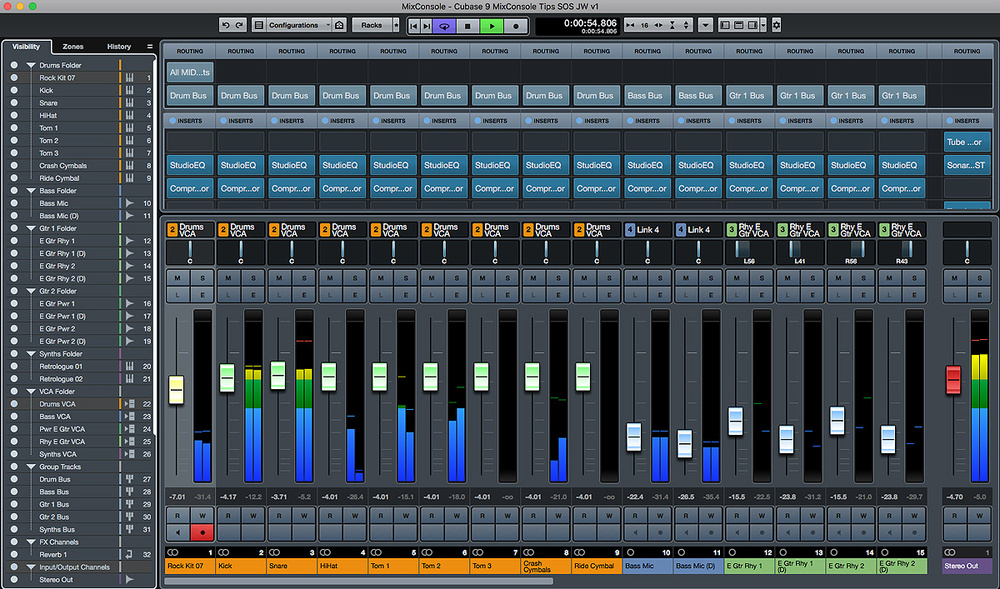
Jim continued to contact me occasionally when he needed help. For example the sound suddenly stopped working in a individual Cubase project and Jim couldn’t work out why. This is one of the problems I wrote about last year when I first started writing reports of my support sessions:
No Sound in an individual Cubase Project
One Cubase project went silent, while the others still played fine. Spoke to a client in the US who …
Mixing Advice
Jim continued sending examples of his work by email and I would reply with comments and advice on how he could improve the production. We connected remotely and I gave him some lessons on mixing in Cubase. We looked at more advanced techniques such as using EQ effects to balance the frequency ranges of instruments in a mix and how he could adjust the volume envelopes of his synths and samples to control the rise and fall of MIDI notes.
2024
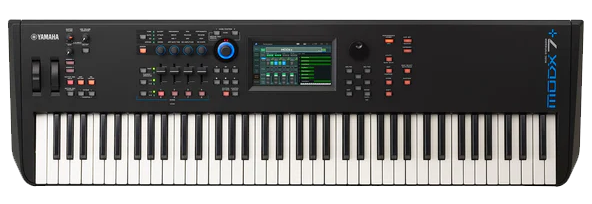
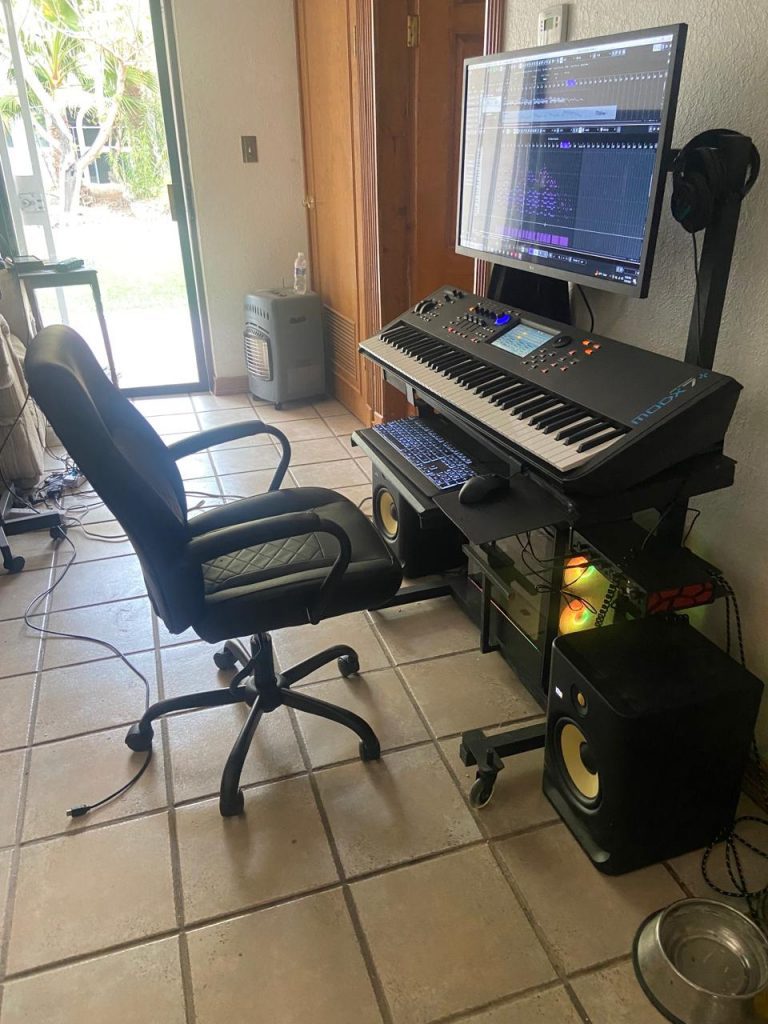
In March 2024 Jim contacted me to help install a new keyboard into his music system. I sent him information on the right cables he would need and he ordered them online. Once they arrived, we connected remotely and I guided Jim through where to plug everything in.
I installed the correct drivers and we tested everything was working correctly in Cubase with a few test recordings.
Review
At the end of our last session, Jim told me that the services I have provided him over the last five years had been enormously beneficial to him and he wanted to help others find out about my services. He suggested I write this article to explain the work I’ve done for him and he would write me an updated review. Here’s what Jim had to say:
I found Paul soon after I started composing with Cubase (11). I’m an older person (78), with some familiarity with computer technology. Having relatively few remaining years I have little patience with the technical nitty gritty of Cubase installation or configuration – I want to pass through that stage as quickly as possible to get to music creation. Also, programs like Cubase have developed an enormous number of functions and features over years of feature creep, so that learning to use it can require significant effort. Here again, when faced with a blizzard of options and screens packed full of tiny buttons, tabs, and symbols to click on – some visible, some hidden, and drop-downs screens and sub-screens and sub-sub screens Paul’s help has been indispensable. I want to create music rather than spend a lot of time learning the thousands upon thousands of methods and options provided by Cubase, when for my purposes, I need to know less than 10%. In seconds, Paul explains how to accomplish something which would otherwise require digging through a user manual with hundreds of pages, and usually a plethora of entries to address any search I perform, none of which answers my specific question directly.
I can say truly that working with Paul is a pleasure. He has never been stumped in the years he has helped me. Whether he knows the answer immediately or finds it quickly, he has always gotten me going without hassle in any number of situations. Apart from knowing his stuff, Paul is always upbeat and cheery and responsive to my specific needs. His extensive knowledge of the music world has proved useful in helping me find outside resources such as singers to add vocals tracks to my songs. I also enjoy talking to him from time to time on general topics like industry trends, or the history or trajectory of technology development.
Jim Stuart, March 2024
Thanks for the kind words, Jim! It’s always been a pleasure to help you out and I hope I can continue to do so for many more years in the future. – Paul
If you are in a similar situation to Jim and would like to book help from Paul please get in touch.
Recent Reviews


Let’s Get Your System Running Smoothly.
No automated tickets, no waiting queues — just one-to-one help from an experienced music technology specialist. I’ll connect to your system remotely, identify the issue, and guide you through the fix.
