
Case ID: #4853 Log Date: MAR 2025

Why Copying Audio Regions Between Logic Pro Projects Scrambles the File Reference

Panic Index // FRUSTRATED
Technical Depth // WORKFLOW
RESOLVED
Target Environment
macOS + Logic Pro
Reported Symptom
“Copying audio regions between two open projects results in 'scrambled' audio playback.”

Hi Paul. I have a weird problem with my Logic Pro. I can’t copy and paste my guitar recordings between projects. The audio gets all scrambled. Can you help me figure out whats going on please? – OT

I received the above message from a client and we arranged to connect for a remote support session. My client showed me what he was trying to achieve, and I could quickly see where things were going wrong.

Problem

My client wanted to make a recording of his guitar. He had recorded a number of takes and edited the audio regions together.

He wanted to copy these audio regions into another project. He opened the two Logic Projects side-by-side and used CMD-C and CMD-V to copy the regions from one project into the other.

When he played the audio in the new project the audio didn’t play back as expected. In fact, it seemed to be playing different audio files entirely.

Explanation

I explained to my client why this was happening. Audio files used within a Logic Pro project are assigned names and he had multiple files with exactly the same name in both projects. Copying and pasting had only moved the references to the audio files and not the audio files themselves. Logic was playing back the audio which it thought was correct based on the file name.

Logic Pro can open multiple projects simultaneously, but users are advised not to do so because of instabilities and errors like this.

Solution

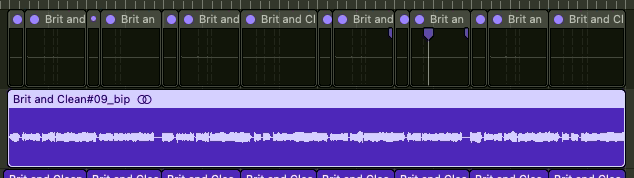
I showed my client that there were many ways to solve this problem but probably the simplest solution was to use Logic’s Bounce-in-Place function to merge the audio regions into one large region and then copy it across. I showed my client how Bounce-in-Place works and made sure he was confident doing the process for himself.
Additional Support

I noticed that the recorded signal of my client’s guitar recordings were very low. We spent the rest of our remote support hour going over all the aspects of his signal path and settings on his audio interface, a Focusrite Scarlett.
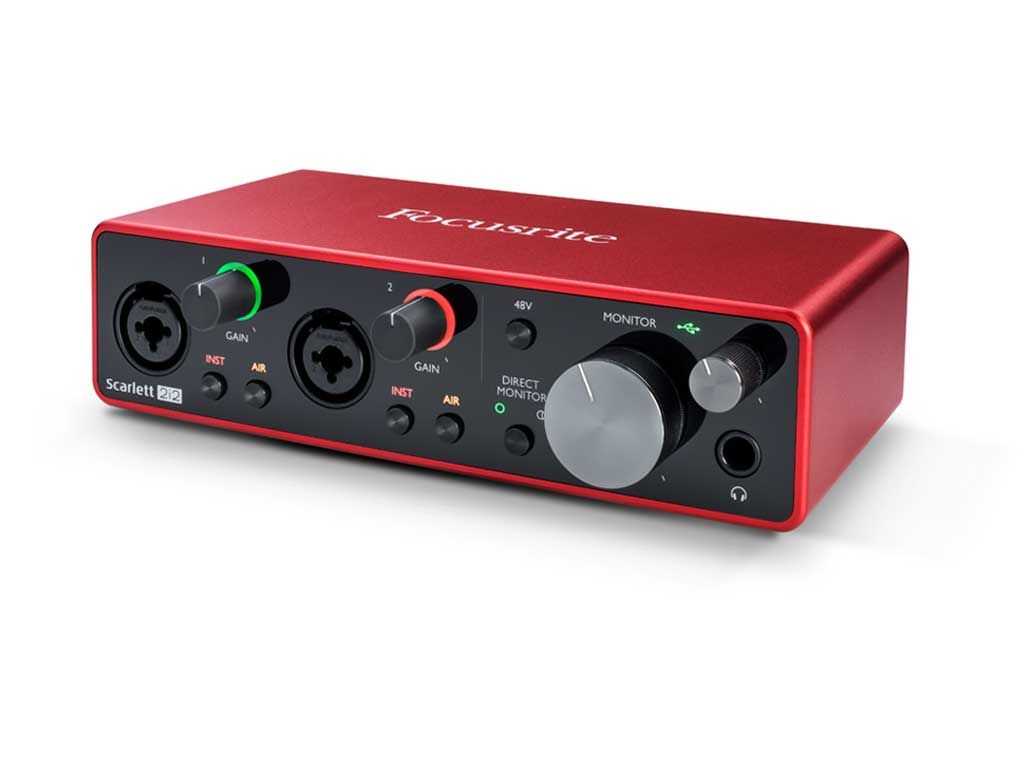
Once we had the gain and monitoring settings correct my client could hear the tonal improvements in the sound of his guitar.

We then looked at the virtual channel strip settings in Logic. I noticed an issue on his compressor:
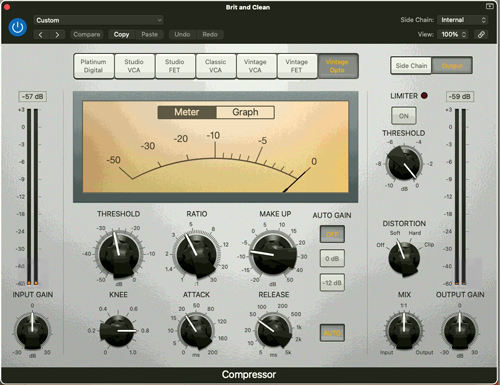
The MAKE UP gain was reducing his guitar’s volume by 7dB. This was the opposite of what we wanted to do with this parameter on the compressor. I switched the make-up gain to +6dB and my client was now happy with the volume of his guitar in relation to the other audio tracks in his project.

Conclusion

By the end of the hour my guitarist client was happy that we had resolved the issue of not being able to copy and paste between projects. He was also pleased with the improvements to the sound of his guitar recordings.

If you need technical help with Logic Pro and would like to book an hour’s remote expert support please get in touch.

Categories: , , ,
Google
Laura Forrest-Hay profile picture
Laura Forrest-Hay
Google star 1Google star 2Google star 3Google star 4Google star 5Trustindex verifies that the original source of the review is Google.
Paul reinstalled all my lost sample libraries, streamlined the storage on my computer so it works faster and fixed my corrupted disk. it took us a couple of sessions and he was friendly and patient throughout. He never made me feel stupid and never over-explained stuff I already knew - in fact he boosted my confidence. Would highly recommend. I've put him on speed dial!
Google
MrMattkitt profile picture
MrMattkitt
Google star 1Google star 2Google star 3Google star 4Google star 5Trustindex verifies that the original source of the review is Google.
Paul was brilliant, listened to the issues I had on Cubase and my home studio, worked methodically through potential problems and sorted everything. Amazing service, down to earth and explained everything so I could understand. I am a very happy song writer once again thanks to Paul! Will be using Paul again in the future and highly recommend. Thanks Paul.
Google
Ciarán Hanna profile picture
Ciarán Hanna
Google star 1Google star 2Google star 3Google star 4Google star 5Trustindex verifies that the original source of the review is Google.
Honestly, if you're in any way stuck in a creative block because of the gear you have, you've more questions than answers about what the best setup should be for your flow, or even if you have very nuanced problems in your DAW/with your gear, the service Paul provides is second to none. Besides being an extremely nice guy, he knows his stuff and takes the time to understand what you want to get out of each session and makes sure all is good to go! Can't recommend him enough!
Google
Trudie Brogan profile picture
Trudie Brogan
Google star 1Google star 2Google star 3Google star 4Google star 5Trustindex verifies that the original source of the review is Google.
Really great service. Paul is so knowledgeable and I learned so much. Totally recommend.
Google
Cottin Ulysse profile picture
Cottin Ulysse
Google star 1Google star 2Google star 3Google star 4Google star 5Trustindex verifies that the original source of the review is Google.
Paul was fantastic, he solved my problem in less than 30mn, and he is a lovely guy. I really recommend him.
Google
Justin Bikram profile picture
Justin Bikram
Google star 1Google star 2Google star 3Google star 4Google star 5Trustindex verifies that the original source of the review is Google.
Paul provided as stellar service, worth every penny. I came to him with a genuine issue that was affecting my Logic Pro 11 album project regarding drums and midi maps and he solved my problem most efficiently. He was patient, courteous, quick thinking and highly knowledgeable. I will certainly consider using the service again and thoroughly recommend Audio Support - Thank you Paul - you are a star :)
Google
josh fulford profile picture
josh fulford
Google star 1Google star 2Google star 3Google star 4Google star 5Trustindex verifies that the original source of the review is Google.
Working in Reaper. Super knowledgeable, friendly, speaks in easy to understand terms. Paul is helping us DAW newbies get in the game. Paul got my lost plugin files working again as well as showed me how to find missing wave files for projects that were loading incorrectly. Keep this man on speed dial.
Google
Richard Grant profile picture
Richard Grant
Google star 1Google star 2Google star 3Google star 4Google star 5Trustindex verifies that the original source of the review is Google.
Paul fixed in around half an hour some midi keyboard/controller problems I have been trying to solve but have had to live with for around two years! He is very knowledgeable and patient and the Any Desk link worked perfectly. I wish I had found his website sooner and wouldn't hesitate to call on his services again. Rick Grant
Google
Paul B profile picture
Paul B
Google star 1Google star 2Google star 3Google star 4Google star 5Trustindex verifies that the original source of the review is Google.
Paul was excellent in helping me diagnose and resolve a problem I had on Logic Pro 12 file issues
Google
William Schrul profile picture
William Schrul
Google star 1Google star 2Google star 3Google star 4Google star 5Trustindex verifies that the original source of the review is Google.
Paul really helped get my Cubase up and running again. He really knows his stuff, and I'll definitely look him up again when I'm stuck. Thanks!!!

No automated tickets, no waiting queues — just one-to-one help from an experienced music technology specialist. I’ll connect to your system remotely, identify the issue, and guide you through the fix.
