
Last week I connected with a voiceover artist via my profile on the website Fiverr. During that session I supported her by diagnosing that the Auto-Gain feature on her Focusrite Scarlett 2i2 audio interface was the cause of noise problems in her home studio.
We connected again a week later for another session using WhatsApp video and AnyDesk remote desktop. We started the session by making a few test recordings in Audacity and confirming that the noise issues we had experienced last week were definitely resolved. I was pleased to hear that the recordings now sounded much cleaner.
We went back to the list my client had sent over with her brief for the gig:
- Guidance on mic placement
- Settings like gain
How I can lower my noise floor?- Which software I should use?
- How I should be processing my sound?
Positioning the Microphone
My client moved her phone inside her vocal booth and via WhatsApp video I could see her mic setup. Her mic was set up correctly, and I could see was recording at the right distance from the microphone. I made a small recommendation that she raise the mic slightly so the gold dot on the front of her Rode NT1a was more inline with her nose rather than her chin. We made a couple of test recordings and my client could hear the difference in the tone of her voice with the mic in both positions.
Audio Interface Settings
We made a few more test recording and experimented with the best gain settings on my client’s Focusrite Scarlett 2i2 interface. I showed my client how to find the best level for her voice. We wanted to achieve a strong signal but not allow any clipping. I explained that for her professional voiceover recordings, we didn’t want to use the Auto-gain feature. As this could add volume changes in the recording, which would be a pain for an editor to deal with at the next stage of production.
Recommending Software
My client already had the audio recording and editing apps TwistedWave and Audacity installed on her Mac. I recommended that for the next stage of our session we switch to using GarageBand.
Garageband is a stripped-down version of Logic Pro and its basic editing features aren’t really suitable for her use as a voiceover artist. What GarageBand did allow us to do is add plug-ins to the audio and monitor the changes to the plug-in’s settings in real-time.
I recommended Logic Pro as the best Digital Audio Workstation for my client in terms of value and features. Especially if she needed to record and edit long-form projects such as audiobooks or podcasts. For recording short clips such as a radio advert then Audacity, TwistedWave or Garageband would be fine.
Sound Processing
I advised my client that any sound processing she applied would depend on the brief of the project. For voiceover work, most clients would be looking for her to send them cleanly recorded, unprocessed audio. For some projects, the client might ask her to apply her own effects before sending the recordings.
I gave my client a short lesson in how to add audio effects in Garageband. I recommended:
- Use Channel EQ to roll off the very lowest frequencies of the recording.
- Use the RX De-Noise plugin with a gentle preset for subtle audio clean-up
- Use a compressor with a preset designed for voiceover artists to tame any volume peaks.
My client and I spent the remainder of our session experimenting with the settings on these effects to find the best settings that suited her voice.
Conclusion
At the end of our second session, my client reported that we had answered all of her questions and that she was now very happy with the sound of her vocal recordings. She felt confident that there were no technical issues holding her back from submitting for auditions and projects.
Review
After the session, my client was kind enough to leave me another nice review:
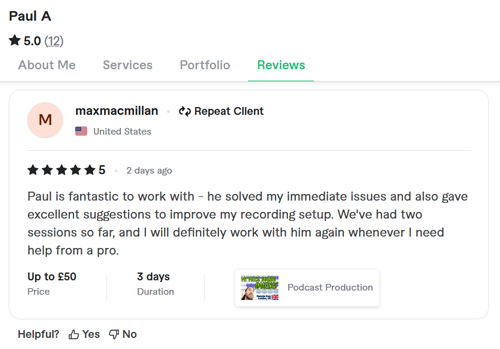
Paul is fantastic to work with – he solved my immediate issues and also gave excellent suggestions to improve my recording setup. We’ve had two sessions so far, and I will definitely work with him again whenever I need help from a pro.
Expert Audio Help Available
If you’re a voiceover artist looking for expert assistance in setting up your home studio, based on our real-world experience, don’t hesitate to get in touch.
Optimize Your Voiceover Studio Workflow
Are you a Voiceover Artist looking to optimize your home studio configuration for a faster, cleaner workflow?
Having the right gear is only half the battle; configuring your software and refining your mic technique is what makes you competitive. To better serve the voiceover community, the founders of Audio Support created Amazing Audio. While Audio Support manages heavy technical infrastructure for composers and music studios, Amazing Audio is a dedicated agency connecting VO artists with vetted engineers for 1-on-1 remote setup work.
Don’t let a clunky recording setup slow down your delivery times. Let our experts remote in, streamline your recording software, fine-tune your processing chain, and get your home studio working for you, not against you.
Visit Amazing AudioRecent Reviews


Let’s Get Your System Running Smoothly.
No automated tickets, no waiting queues — just one-to-one help from an experienced music technology specialist. I’ll connect to your system remotely, identify the issue, and guide you through the fix.
