
PreSonus Support
Independent Help for PreSonus Interfaces and StudioLive Systems
PreSonus Support
Independent Help for PreSonus Interfaces and StudioLive Systems
PreSonus interfaces, mixers, and software make it easy to capture professional-quality sound — but driver conflicts, routing problems, and firmware issues can quickly disrupt your setup.

Audio Support provides one-to-one remote help for PreSonus users who want their systems configured correctly and performing reliably. Founded by Paul Andrews, a technician and educator with over 20 years’ experience in music technology, the service offers clear guidance on setup, troubleshooting, and optimisation for all PreSonus products.
Typical sessions include driver installation, StudioLive mixer configuration, DAW integration, and performance tuning for audio playback and recording. Each session is tailored to your exact hardware and workflow.
Audio Support is an independent service and is not affiliated with PreSonus Audio Electronics or any other manufacturer.
Recent Problems Solved
Real client’s stories from the case study archive
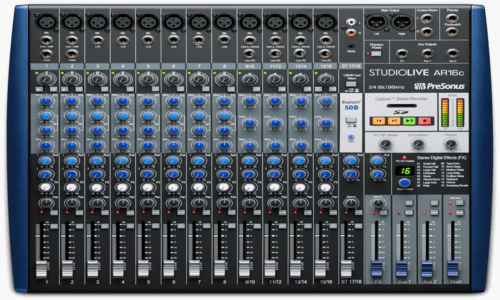
PreSonus StudioLive Logic Pro Setup | Fader Fix
18 August 2026
Client’s Question
Why do my PreSonus StudioLive faders control the same Logic Pro channels?
Session Result
StudioLive fader banks correctly mapped in Logic Pro.
Read Full Case Study Report: PreSonus StudioLive Logic Pro Setup | Fader FixPreSonus StudioLive Logic Pro Setup: Manual IP Addresses for DAW Control Over Ethernet
4 February 2026
Client’s Question
We’ve bought a PreSonus StudioLive mixer and want to connect it to our recording setup, which is an interface, a controller, a keyboard and a Mac with no mixer. Can you come to our studio and set it up?
Session Result
The StudioLive now works as a DAW control surface in Logic Pro, set up as a Mackie Control with three extenders for all 32 channels. The Mac recognised it over Ethernet once both had manual IP addresses.
Read Full Case Study Report: PreSonus StudioLive Logic Pro Setup: Manual IP Addresses for DAW Control Over Ethernet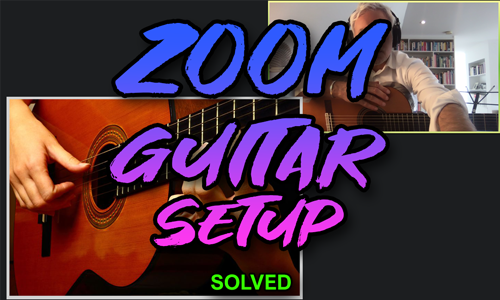
Client’s Question
How do I send my guitar pedal sound and a backing track clearly on Zoom?
Session Result
High-quality, mixed guitar, microphone, and backing track successfully routed into Zoom.
Read Full Case Study Report: Pro-Sound Guitar Lessons on Zoom: Routing Hardware and Backing TracksRecent Reviews


Let’s Get Your System Running Smoothly.
No automated tickets, no waiting queues — just one-to-one help from an experienced music technology specialist. I’ll connect to your system remotely, identify the issue, and guide you through the fix.
