
Focusrite Support
Independent Expert Help for Scarlett, Clarett & Vocaster
Focusrite Support
Independent Help for Audio Interface Users
Focusrite interfaces are popular for a reason—great sound, simple software, and flexible I/O. But when drivers, clocking, or routing misbehave, your creative flow grinds to a halt.

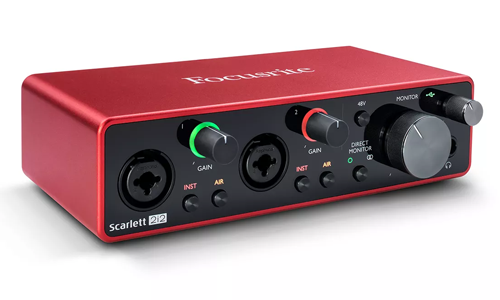
I’m Paul from Audio Support. I provide one-to-one remote troubleshooting for Focusrite hardware and software, including Scarlett, Clarett, Vocaster and legacy ranges. I diagnose issues across the whole chain— drivers, Focusrite Control, routing between apps, DAW I/O, USB power, and operating system permissions—so everything works together reliably.
While Focusrite’s official resources are useful for downloads and documentation, I go further: hands-on remote diagnosis and setup, tailored to your Mac or PC, your DAW, and your studio wiring. The goal is simple: clean, low-latency audio in and out, every time.
Need help inside your DAW? I also provide support for Logic Pro, Cubase, Ableton Live and other music technology with online booking.
Audio Support is an independent service for Focusrite users and is not affiliated with Focusrite Audio Engineering Ltd.
Recent Problems Solved
Real client’s stories from the case study archive
Client’s Question
Why does my synth sound glitchy and distorted in Logic Pro?
Session Result
Digital distortion resolved, system clocking synchronised.
Read Full Case Study Report: Fixing Synth Distortion: A Sample Rate Mismatch Case StudyClient’s Question
How to connect multiple hardware synths to Ableton Live?
Session Result
Hybrid synth studio configured and stable in Ableton.
Read Full Case Study Report: Ableton External Hardware Setup: Integrating Synths & ADATClient’s Question
How to sync Roland Boutique synths with Ableton Live?
Session Result
Roland Boutique synths synced and sequenced in Ableton.
Read Full Case Study Report: Ableton External Instrument Setup for Roland Synths GuideRecent Reviews
Let’s Get Your System Running Smoothly.
No automated tickets, no waiting queues — just one-to-one help from an experienced music technology specialist. I’ll connect to your system remotely, identify the issue, and guide you through the fix.
